Upload Guide
Each show should be given unique login details for the archive. This gives you access to upload pictures to your show's album.
How to add your pictures:
- Go to https://gallery.warwickdrama.org.uk
- Use 'Login' in the top right using the provided details
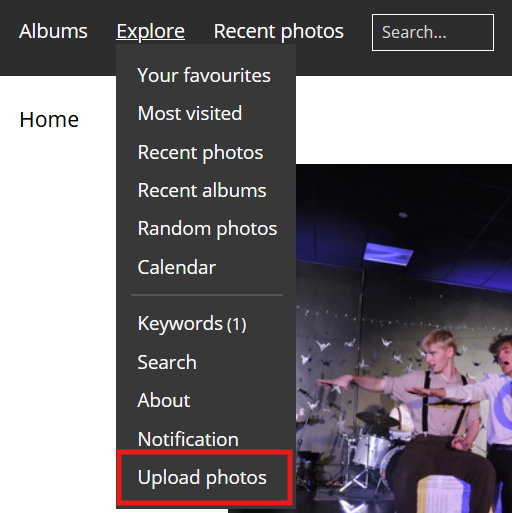
- Hover over 'Explore' in the top bar + click on 'Upload photos' at the bottom (or go here)
- Add your photos (Try to pick the best pictures from the show & use compressed versions if possible)
- Click 'Start upload'
Tips:
- Aim for 20-50 photos from the show. This can include both performance photos and behind-the-scenes (e.g: cast photos). You could even include a picture of the show program
- Try to use compressed photos rather than full originals if possible
- If you have photos in different categories you can create sub-folders using the 'Create a new album' button in the 'Upload photos' page